Monthly Report
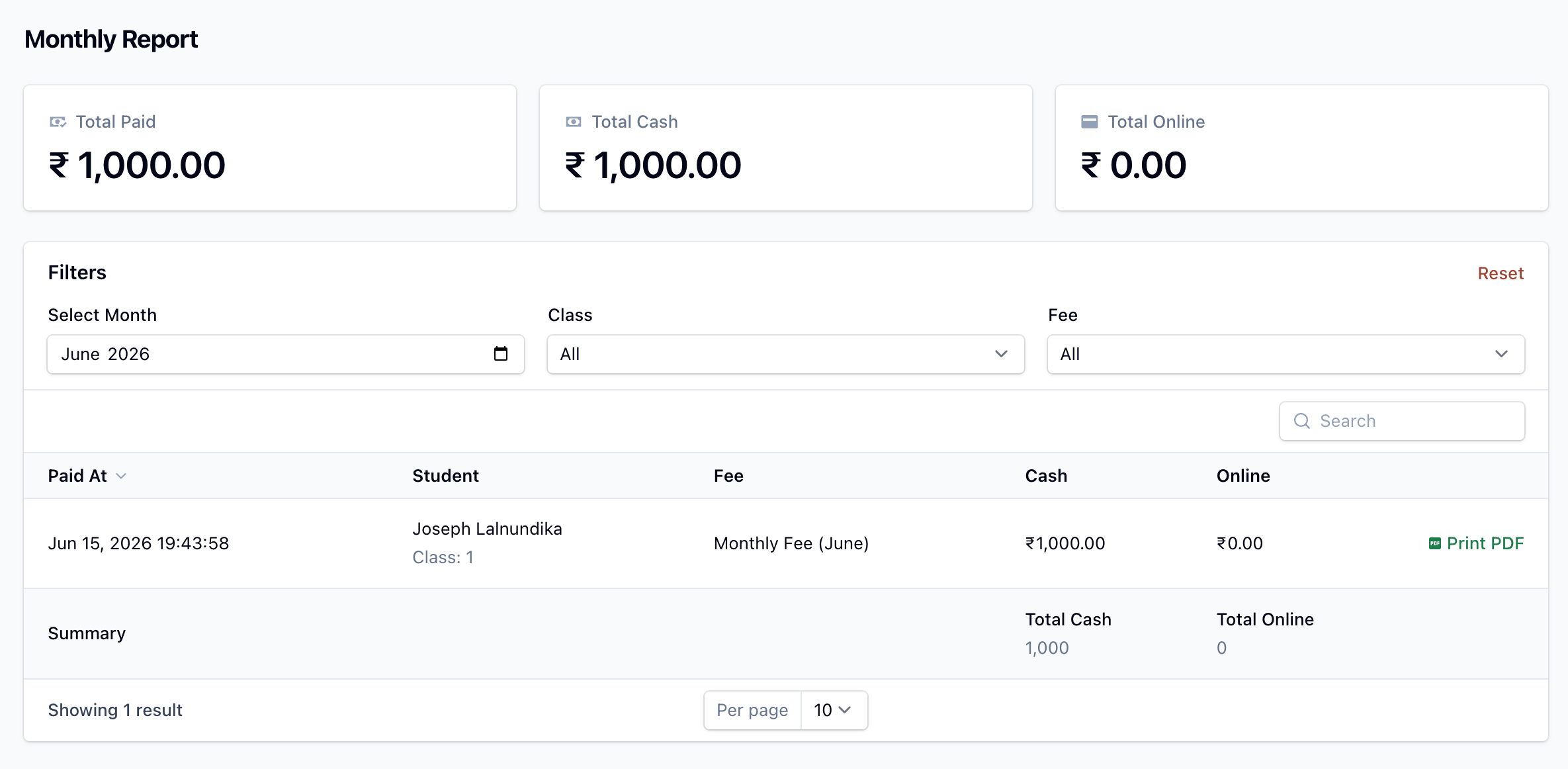
The Monthly Report works exactly like the Daily Report, but for a whole month. It lists every payment collected within the selected month and is ideal for month-end reconciliation.
Summary cards
- Total Paid — cash plus online for the month.
- Total Cash — cash collections for the month.
- Total Online — online gateway collections for the month.
- Total Overdue — outstanding balance on overdue invoices (shown only if you use late-fee due dates).
The table
Each row is one payment: when it was paid, the student (and class), the fee, and the amount split into Cash and Online columns, with totals at the foot.
Filters
- Payment Month — defaults to the current month.
- Class — filter by class (schools only).
- Fee — filter by fee type.
Each row has a Print PDF action to print the matching receipt.