Daily Report
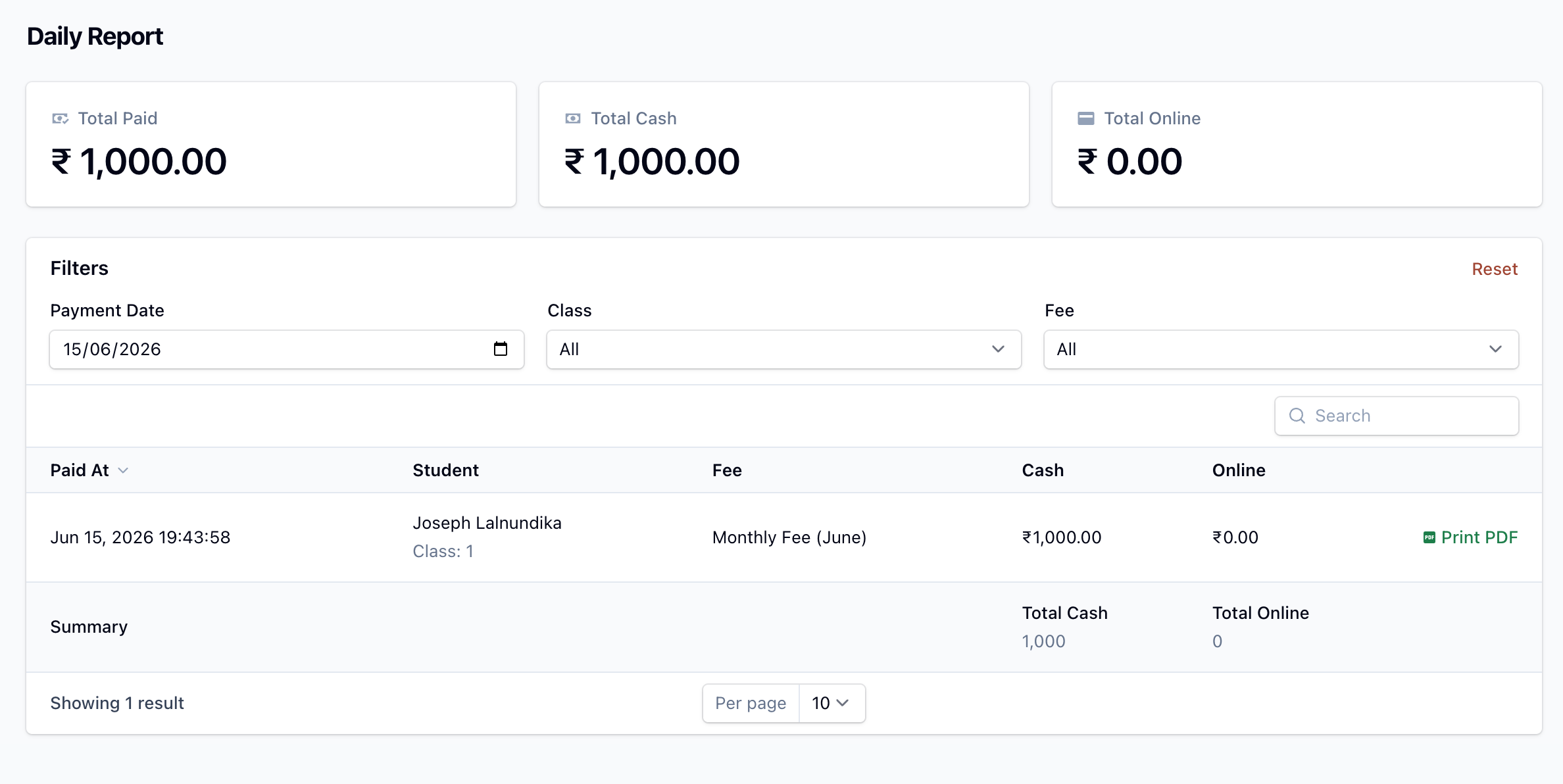
The Daily Report is a transaction log of every fee payment collected on a particular day. It is useful for end-of-day reconciliation — comparing cash in hand against online collections.
Summary cards
At the top of the page, summary cards show the totals for the selected day:
- Total Paid — cash plus online.
- Total Cash — payments collected in cash.
- Total Online — payments collected through the online gateway.
- Total Overdue — outstanding balance on overdue invoices (shown only if you use late-fee due dates).
The table
Each row is one payment: when it was paid, the student (and class), the fee, and the amount split into Cash and Online columns. Totals for cash and online appear at the foot of the table.
Filters
- Payment Date — defaults to today; pick any date.
- Class — filter by class (schools only).
- Fee — filter by fee type.
Each row has a Print PDF action to print the matching receipt.