Settings
This is where all the configuration for your school is managed. The page is organised into tabs.
School Settings
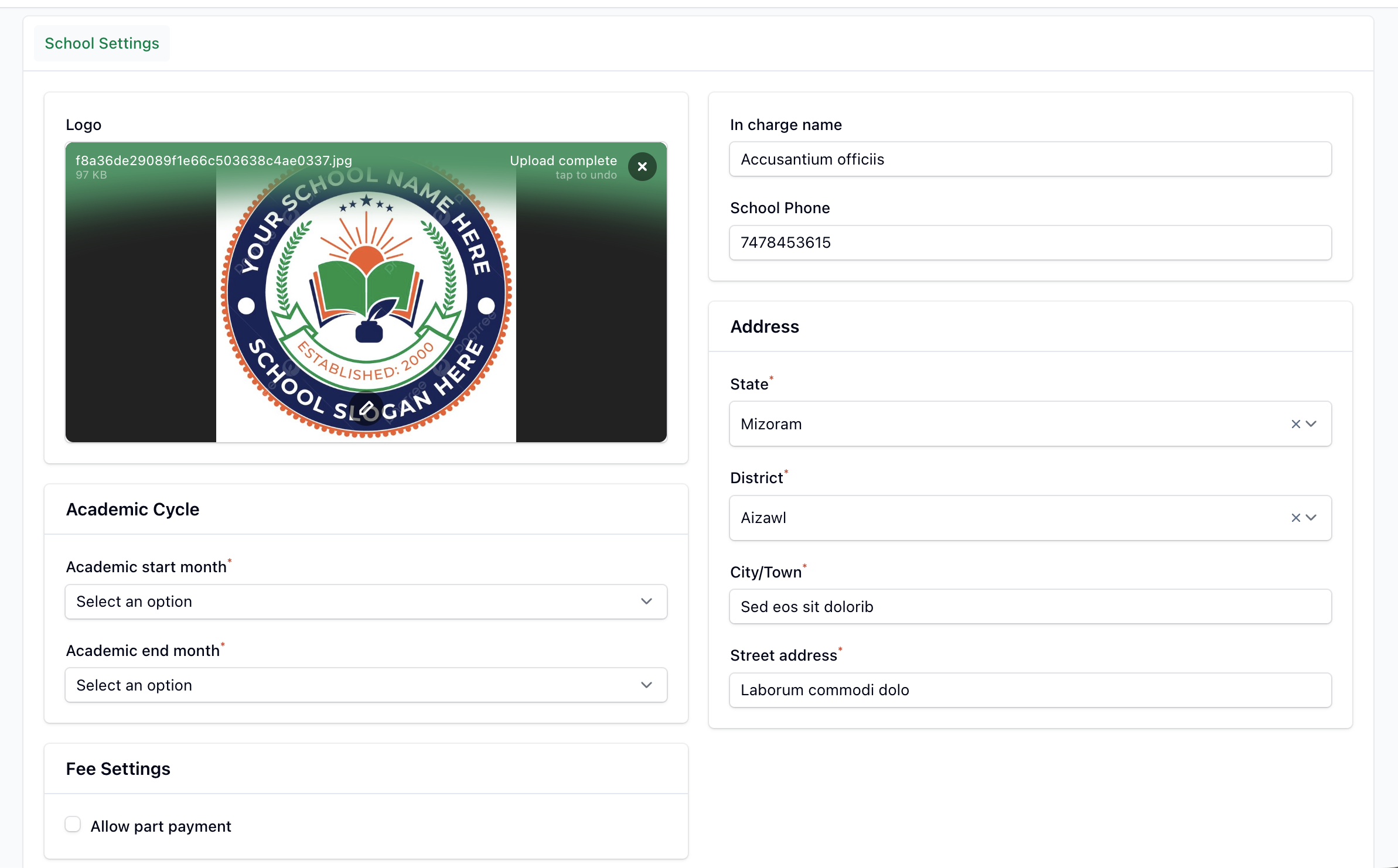
School Information
- In charge name — the person responsible for the school's fee operations.
- School Phone — a 10-digit contact number.
- School Address — your school's full address.
Fee Settings
- Allow Partial Payment — when enabled, parents (and staff marking invoices as paid) can pay part of an invoice instead of the full amount.
Academic Cycle
Shown for organisation types that use an academic year. Set the Academic Start Month and Academic End Month — these define the academic year used throughout the dashboard, reports and invoice generation.
Logo
Upload your school's logo. It appears throughout the panel and on printed receipts. A built-in editor lets you crop the image.
INFO
The School Settings tab is read-only if you don't have write access (for example, when your subscription is inactive).
Payment Gateway
This tab appears only if your school manages its own payment gateway. It connects your Razorpay account so parents can pay fees online directly into your account.
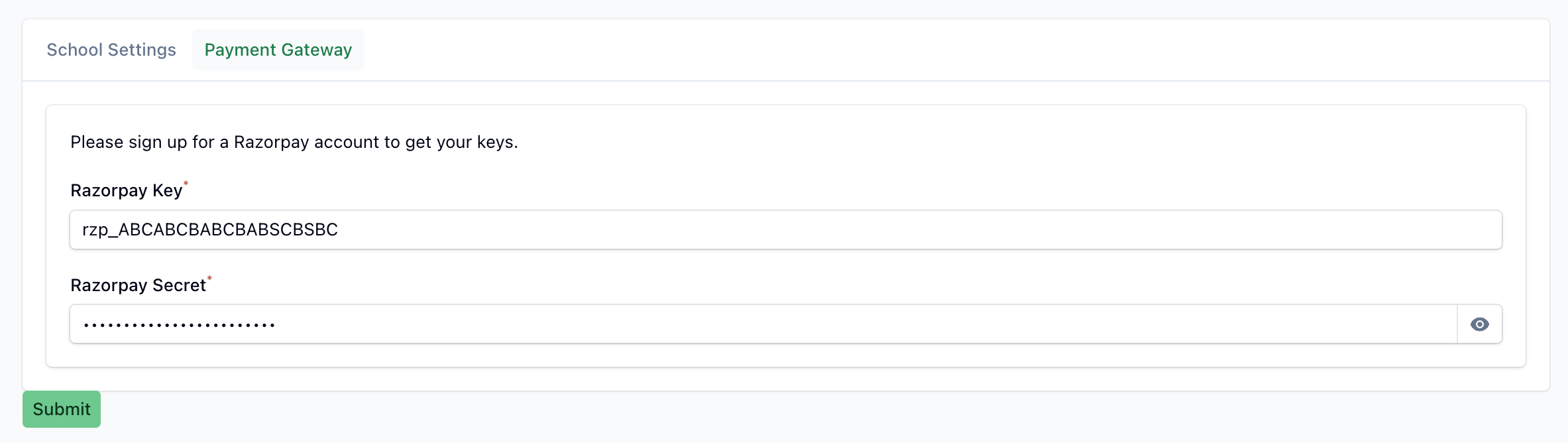
- Sign-up guidance — a link or instructions for creating a Razorpay account. Where a referral partnership is configured, a direct sign-up link is shown.
- Razorpay Key — your Razorpay API key.
- Razorpay Secret — your Razorpay API secret (masked, with a reveal toggle).
IMPORTANT
Both the key and secret are required for online payments to work. Keep your secret confidential.
Notifications
Parents are notified automatically over SMS and WhatsApp for events such as a new fee, an applied discount, a received payment and upcoming due dates. The late-fee reminders are only sent when you've configured due dates on your fees.